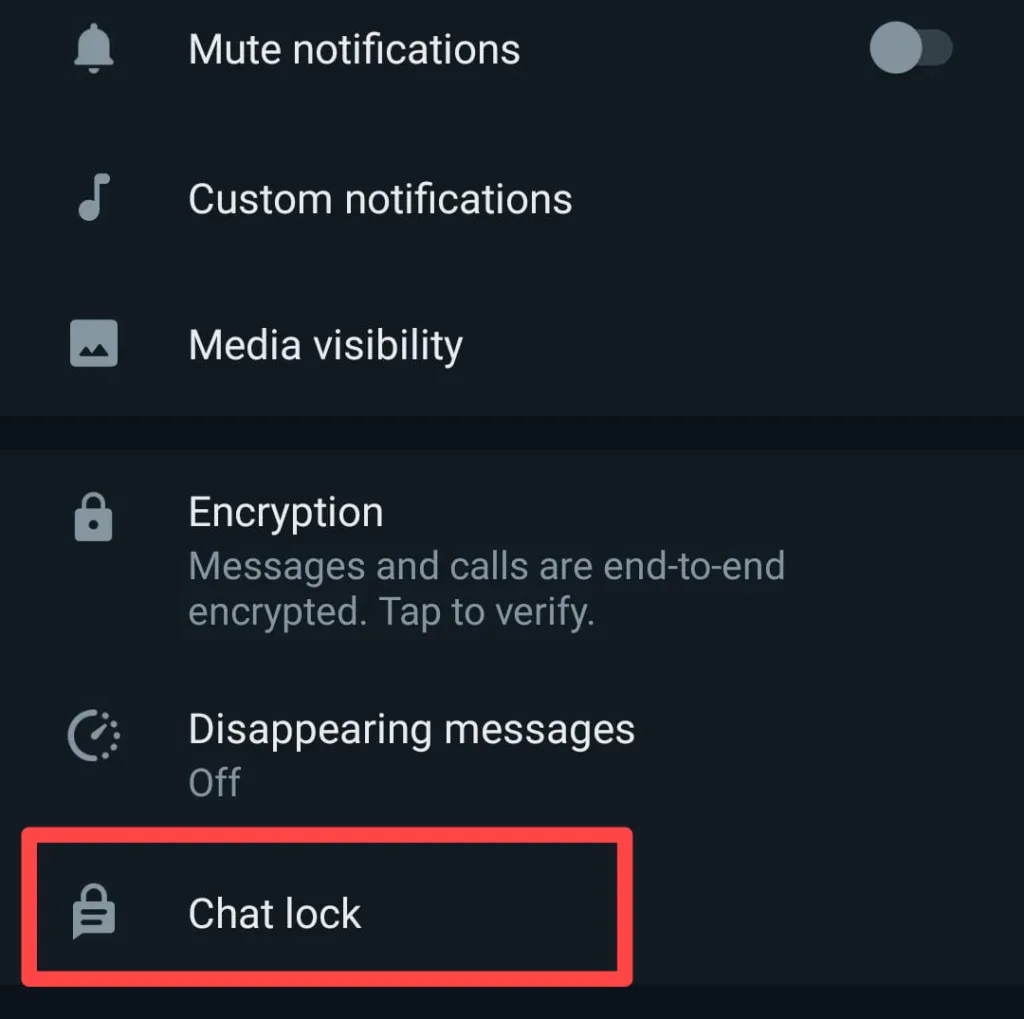
Chat Lock is the new feature it was introduced by WhatsApp that service owned by Meta. This feature will helps you to lock specific chats and other chat that you don’t want other to see and also it provide the feature lock and unlock chats separately using password and biometric authentication. In each version, the Meta company test new feature and security systems. The WhatsApp users can except more feature in the upcoming versions. The new feature that is chat lock is available both Android and IOS.
Lock chats will appear on the locked section. In this section, you can see locked chats. These chats can only be opened with fingerprint, passcode or Face ID. Along with end-to-end encryption , encrypted backups, disappearing messages, screenshot blocking and other privacy features is the part of chat lock that providing user with more privacy and security. Let’s see how to use WhatsApp chat lock feature.
- First you want to update or install new WhatsApp from playstore using your Android or IOS mobile phone.
- Open your WhatsApp and go to the which specific chat you want to lock.
- Click the profile of that person.
- Chat lock that can be found below the message menu to be kept secret and tap on it.
- Complete your chat lock settings and try to login using your password or mobile biometrics.
- Open WhatsApp and go to the home page to see the encrypted chat.
- Select the locked chat and tap on it.
- Unlock the chat by entering your phone password or biometric information.
- ആദ്യം നിങ്ങളുടെ ആൻഡ്രോയിഡ് അല്ലെങ്കിൽ ഐഒഎസ് മൊബൈൽ ഫോൺ ഉപയോഗിച്ച് പ്ലേസ്റ്റോറിൽ നിന്ന് പുതിയ വാട്ട്സ്ആപ്പ് അപ്ഡേറ്റ് ചെയ്യുകയോ ഇൻസ്റ്റാൾ ചെയ്യുക.
- നിങ്ങളുടെ വാട്ട്സ്ആപ്പ് തുറന്ന് ഏത് നിർദ്ദിഷ്ട ചാറ്റാണ് ലോക്ക് ചെയ്യേണ്ടതെന്ന് എന്നതിലേക്ക് പോകുക.
- ആ വ്യക്തിയുടെ പ്രൊഫൈലിൽ ക്ലിക്ക് ചെയ്യുക.
- രഹസ്യമായി സൂക്ഷിക്കേണ്ട സന്ദേശ മെനുവിന് താഴെ കാണുന്ന ചാറ്റ് ലോക്ക് അതിൽ ടാപ്പ് ചെയ്യുക.
- നിങ്ങളുടെ ചാറ്റ് ലോക്ക് ക്രമീകരണങ്ങൾ പൂർത്തിയാക്കി നിങ്ങളുടെ പാസ്വേഡ് അല്ലെങ്കിൽ മൊബൈൽ ബയോമെട്രിക്സ് ഉപയോഗിച്ച് ലോഗിൻ ചെയ്യാൻ ശ്രമിക്കുക.
- എൻക്രിപ്റ്റ് ചെയ്ത ചാറ്റ് കാണാൻ വാട്ട്സ്ആപ്പ് തുറന്ന് ഹോം പേജിലേക്ക് പോകുക.
- ലോക്ക് ചെയ്ത ചാറ്റ് തിരഞ്ഞെടുത്ത് അതിൽ ടാപ്പ് ചെയ്യുക.
- നിങ്ങളുടെ ഫോൺ പാസ്വേഡോ ബയോമെട്രിക് വിവരങ്ങളോ നൽകി ചാറ്റ് അൺലോക്ക് ചെയ്യുക